A blog which discusses various GPU applications including visualization, GPGPU and games.

Thursday, July 30, 2009

C++0x auto

Consider the following iterator example:

map<string, pair<int, float>> data;

for (map<string, pair<int, float>>::iterator i = data.begin(); i != data.end(); i++)
{
// ...
}

We can clean this up a bit by using the auto keyword:

map<string, pair<int, float>> data;

for (auto i = data.begin(); i != data.end(); i++)
{
// ...
}

Sunday, July 26, 2009

Limitations

Having used Direct2D, DirectWrite and the Direct3D 11 previews, I would like to discuss some of the limitations I have run into.

Direct2D has the ability to render into Direct3D textures. However, D2D does not deal with resource views directly; it uses DXGI's facilities to access surfaces. The problem comes when trying to obtain the DXGI surface representation of a 2D texture that has more than one mip in its mipmap chain and/or more than one layer. Unless I am missing something, this is simply not possible. This means that it is not possible to use D2D to render directly into a Direct3D multilayer texture (or mipmapped texture).

Admittedly, I have not found myself needing to do this very often. Indeed, the most useful application of D2D/D3D interop to me has proved to be rendering to the backbuffer, which is neither mipmapped nor multilayered. In one scenario, however, I needed to render some numbers into a texture array. I had to create a temporary texture without any mipmap/layers, render to that using D2D, then perform an on-device copy to get it into my texture array.

This copy could be eliminated in two ways. One way involves adding a D3D dependency to D2D, which is not the best route. The second way involves a modification to DXGI to enable the casting of multilayer/mipmapped 2D textures to surfaces; it would be nice to be able to pass in a subresource number and get a surface representing a particular subresource of a 2D texture.

The second limitation I have run into is in the compute shader. I dislike how the number of threads per group is declared in the shader, and cannot be changed during runtime without a shader recompile. I really do not see the need for this limitation, as both OpenCL and CUDA allow the number of threads per group to be specified at runtime. That aside, I still prefer Microsoft's approach to computation on the GPU. I like that it is integrated into the Direct3D API and uses a language similar to the other shaders.

Aside from these minor limitations, my expectations are definitely surpassed with regard to Direct2D and DirectWrite. I think these APIs fill in a large gap in the Windows graphics API collection.

Wednesday, June 3, 2009

Unicode

I like to make my C++ applications Unicode-aware. What do I mean by this? I use UTF-16 where I can, and convert between UTF-16 and UTF-8 if necessary.

C++ has a wide character type, wchar_t, which is used for storing wide characters. The problem with wchar_t is that it its size is platform-specific; on Windows, wchar_t is 2 bytes while on most *nix-based machines it's 4 bytes. In other words, on Windows it would be used for storing UTF-16 and on *nix, it'd be used for storing UTF-32.

This complication is reason enough for many libraries to avoid wchar_t altogether and simply use UTF-8. However, I prefer UTF-16 as I find it to be a nice trade-off between UTF-8 and UTF-32: efficient and more compact than UTF-32 in most cases.

Luckily, C++0x adds two new character types: char16_t for storing UTF-16 characters and char32_t for storing UTF-32 characters. With these new types, it will be possible to write cleaner, portable, Unicode-aware C++0x code.

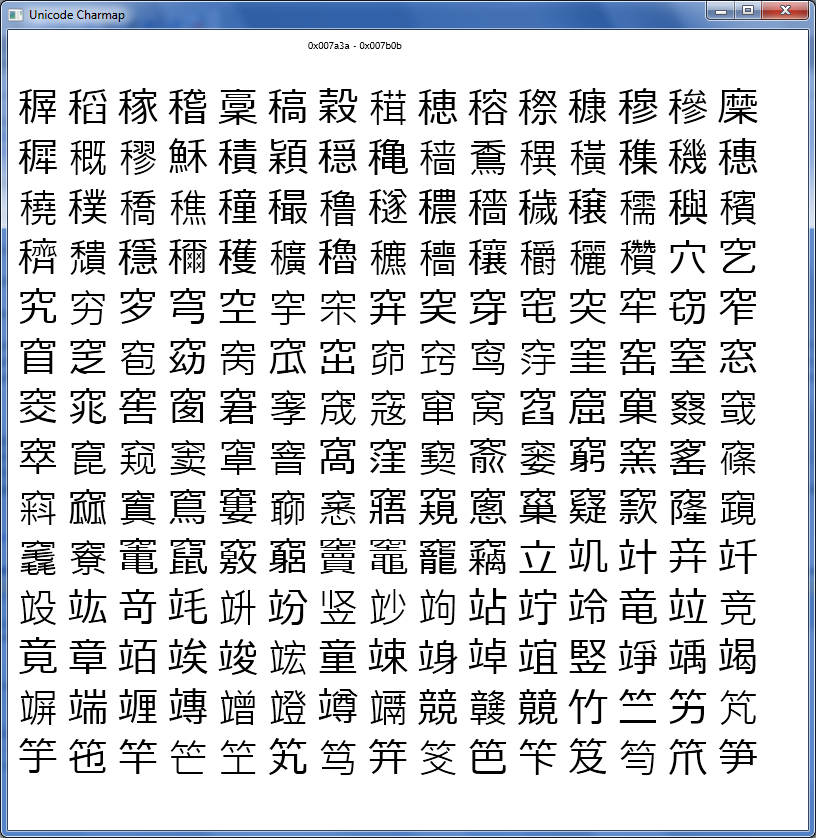
As an aside, Windows charmap cannot display characters past 0xFFFF, which I find to be annoying. So, I've begun writing my own Unicode character viewer using Direct2D and DirectWrite.


Friday, May 22, 2009

C++0x Lambdas

I recently installed the VS2010 beta so I could experiment with some of the new C++0x features. In this post, I would like to cover a few simple lambda examples.

Let's start off simple - without lambdas. Suppose we have a vector allocated for 100 floats, and we want to fill it up with random numbers in [0,1). The most obvious way is to use a looping construct of some kind.

vector<float> vec(100);

for (unsigned int i = 0; i < 100; i++)
{
vec[i] = static_cast<float>(rand()) / (static_cast<float>(RAND_MAX) + 1.0f);
}

Okay, I realize I didn't need that many casts, but I like being safe. ;) While this code does the job, we can also use std::generate() to avoid the explicit loop construct:

float randval()
{
return rand() / (RAND_MAX + 1.0f);
}

vector<float> vec(100);

generate(vec.begin(), vec.end(), randval);

Looks fine, right? What can we possibly do differently? We can use a lambda:

vector<float> vec(100);

generate(vec.begin(), vec.end(), []() -> float
{
return rand() / (RAND_MAX + 1.0f);
});

Now consider the slightly more complicated example where we have two vectors and want to produce a third vector from them. We can use a variant of std::transform() to do this.

We have vectors invec1 and invec2, and want to produce outvec which is simply the elementwise product of invec1 and invec2.

First try:

float product(float x, float y)
{
return x * y;
}

transform(invec1.begin(), invec1.end(), invec2.begin(), outvec.begin(), product);

Second try:

transform(invec1.begin(), invec1.end(), invec2.begin(), outvec.begin(), [](float x, float y) -> float
{
return x * y;
});

Another application for lambdas is to use one as a sort predicate:

sort(vec.begin(), vec.end(), [](float x, float y) -> bool { return x > y; });

Don't forget, we can always assign a lambda to a variable to clean things up a little:

void somefunc()
{
auto f = [](float x, float y) -> bool { return x > y; };
sort(vec.begin(), vec.end(), f);
}

Now for some code to put it all together:

vector<float> vec(10);

// Fill up the vector with random numbers in [0,1)
generate(vec.begin(), vec.end(), []() -> float { return rand() / (RAND_MAX + 1.0f); });

// Sort the vector in descending order
sort(vec.begin(), vec.end(), [](float x, float y) -> bool { return x > y; });

// Print the vector
copy(vec.begin(), vec.end(), ostream_iterator<float>(cout, " "));
cout << endl;

Monday, May 4, 2009

Windows 7 APIs

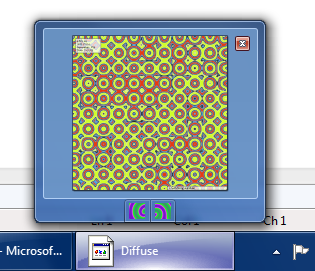
Windows 7 introduces a number of new APIs. In this post I would like to focus on ITaskbarList3. With this interface, it is possible to turn your application's taskbar button into a progress bar, as well as control what shows up as the thumbnail preview. It is even possible to add buttons to the preview window, as depicted below.


The code to add the buttons is quite simple:


DWORD dwMask = THB_TOOLTIP | THB_BITMAP;
THUMBBUTTON tbhButtons[2];
wstring btn1 = L"Button 1";
wstring btn2 = L"Button 2";

tbhButtons[0].dwMask = dwMask;
tbhButtons[0].iId = 0;
tbhButtons[0].iBitmap = 0;
tbhButtons[0].szTip[btn1.length()] = L'\0';
btn1.copy(tbhButtons[0].szTip, btn1.length());

tbhButtons[1].dwMask = dwMask;
tbhButtons[1].iId = 1;
tbhButtons[1].iBitmap = 1;
tbhButtons[1].szTip[btn2.length()] = L'\0';
btn2.copy(tbhButtons[1].szTip, btn2.length());

ITaskbarList3 *ptbl;
CoCreateInstance(CLSID_TaskbarList, NULL, CLSCTX_INPROC_SERVER, IID_PPV_ARGS(&ptbl));

ptbl->ThumbBarAddButtons(g_hWnd, ARRAYSIZE(tbhButtons), tbhButtons);

HIMAGELIST imglist = ImageList_LoadImage(NULL, L"btns.bmp", 16, 0, CLR_NONE, IMAGE_BITMAP, LR_LOADFROMFILE | LR_CREATEDIBSECTION);
ptbl->ThumbBarSetImageList(g_hWnd, imglist);

Tuesday, April 28, 2009

More Reaction-Diffusion!

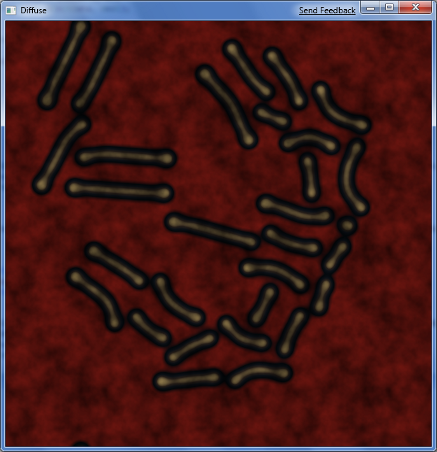
I am adding stylized shaders to the reaction-diffusion program:


Friday, April 24, 2009

Reaction-Diffusion

I have recently gotten into partial differential equation (PDE) visualization. In particular, I am focusing on a set of PDEs known as reaction-diffusion systems. These systems have two important terms: a reaction term, and a diffusion term (Laplacian).

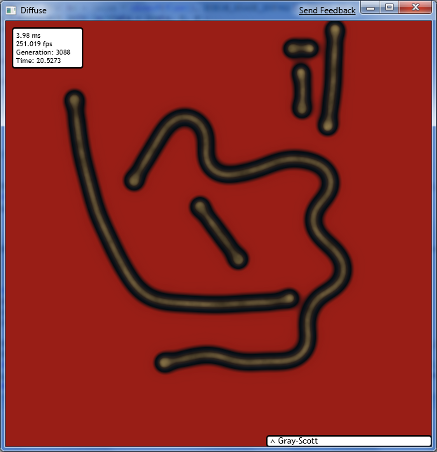
One such reaction-diffusion model is the Gray-Scott model. Below is a screenshot from my visualization program, which is applying a palette on the GPU.


The Gray-Scott model can be estimated by trivial numerical methods such as the finite difference method. Because of this, it is very easy to parallelize, which means implementing it in a compute shader, OpenCL or CUDA is a simple task. I have a compute shader solver written, which will be accelerated by D3D11 hardware when it is available. I will share more details in an upcoming post.

Followers

Contributors